AI Visit Summary
Galy includes an AI assistant called Gaia that can generate a summary of a patient's most recent visit. This helps you quickly recall key details without reading through the full consultation notes.
Where to find it
The AI summary is available on the patient details page, in the "Last Visit Summary" section on the Details tab.
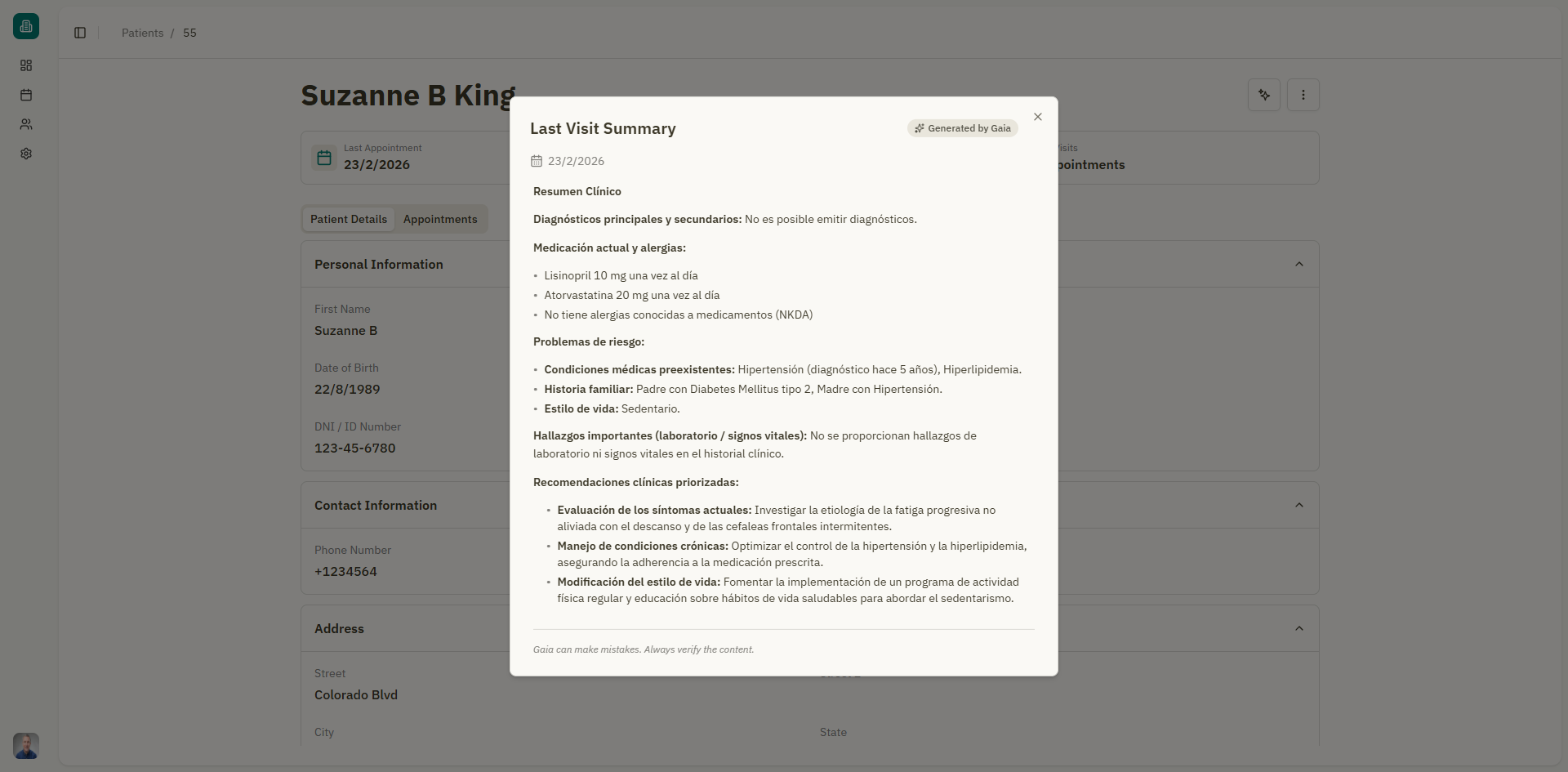
Generating a summary
- Open a patient's details page.
- Scroll to the "Last Visit Summary" section.
- Click the "Generate summary" button (sparkle icon).
- Wait while Gaia processes the consultation data. A loading indicator shows "Generating summary...".
- The summary appears in the section once complete.
The summary is based on the content of the patient's most recent appointment consultation.
What the summary includes
The AI summary provides a concise overview that may include:
- Chief complaint or reason for the visit
- Key findings from the consultation
- Treatments or recommendations discussed
- Follow-up instructions
Important notes
warning
Gaia can make mistakes. Always verify the AI-generated content against your own consultation notes. The summary is intended as a convenience tool, not a substitute for the full medical record.
- If the patient has no appointments, the section shows: "No appointments available to analyze" with a note to schedule an appointment first.
- The summary is generated on demand — it is not saved automatically. You can regenerate it at any time by clicking the button again.
- If the generation fails, a "Retry" button appears so you can try again.
Label
The summary section displays:
- "Generated by Gaia" — Indicating the source of the content.
- "Gaia can make mistakes. Always verify the content." — A disclaimer reminding you to review the output.