Medical Record PDF
Galy allows you to export a patient's information as a formatted PDF document. This is useful for printing, sharing with other healthcare providers, or keeping an offline copy of the patient's identification form.
Generating the PDF
- Open the patient details page for the patient.
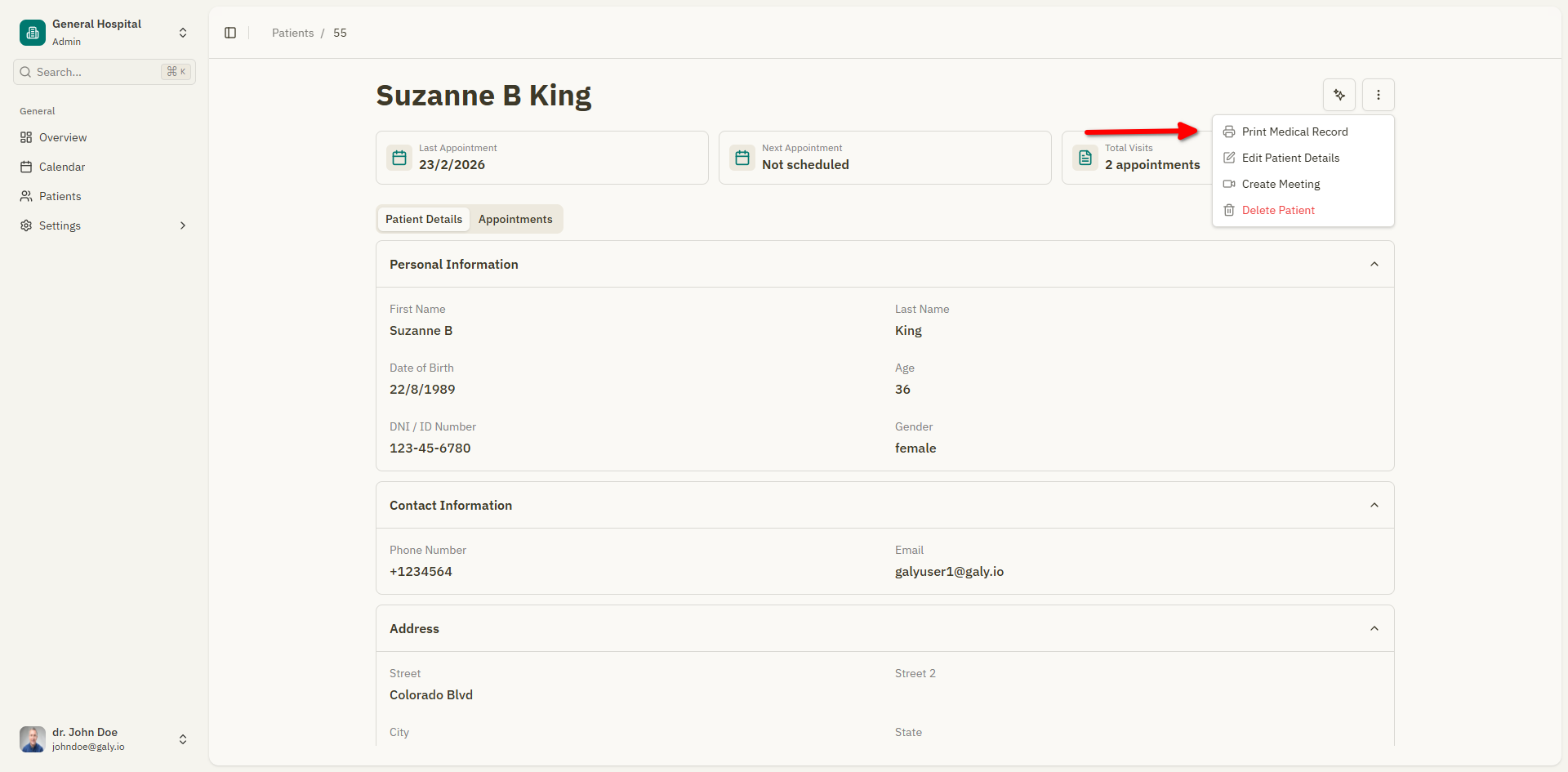
- Click the "Print Medical Record" button in the patient header.
- The system generates the PDF. A loading notification shows "Generating medical record...".
- Once ready, the PDF downloads automatically to your device.
PDF contents
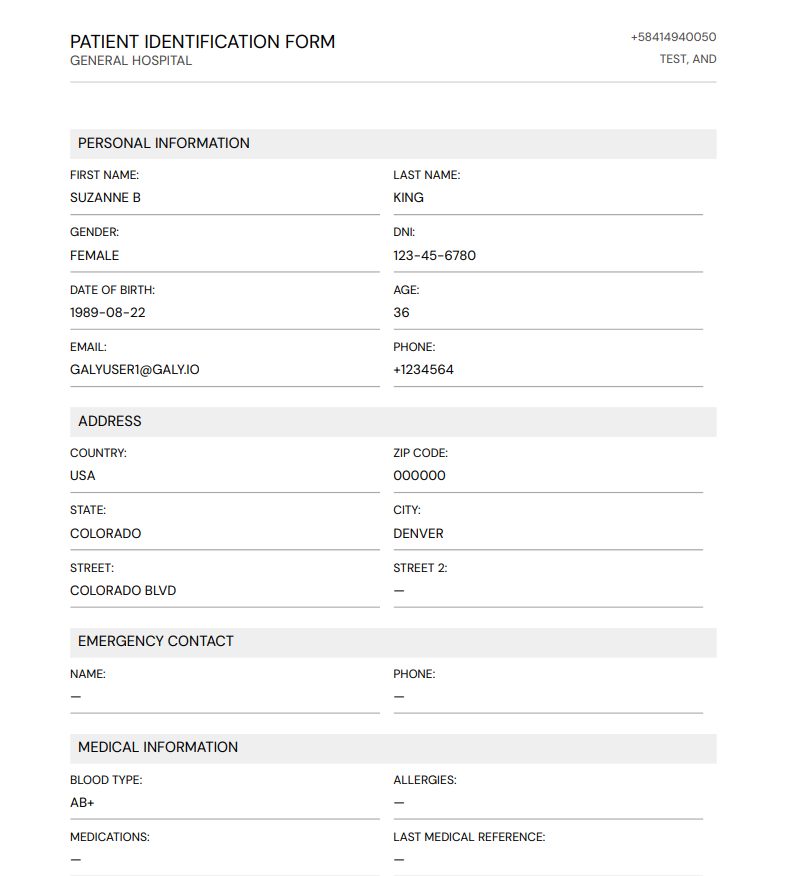
The generated PDF is titled "Patient Identification Form" and includes a "CONFIDENTIAL — MEDICAL USE ONLY" header. It contains the following sections:
Personal Information
- First name, last name, gender, DNI, date of birth, age, email, and phone number.
Address
- Country, state, city, street, street 2, and ZIP code.
Emergency Contact
- Contact name and phone number.
Medical Information
- Blood type, allergies, current medications, and last medical reference.
Medical Insurance
- Insurance provider and policy number.
Additional Information
- Any additional notes recorded for the patient.
The PDF also includes the generation date for reference.
Notes
- Fields that have not been filled in will appear blank in the PDF.
- The PDF uses a professional medical document layout suitable for printing.
- The file is named
medical_record_[patient_name].pdf(orhistoria_clinica_[patient_name].pdfin Spanish).